Change overviews (views) in InSite
Views are called overviews in InSite and OutSite. An overview displays data from Profit in table format, for example a list of employees or a list with outstanding items.
You have two options for changing an overview:
- You change a supplied overview
The original overview is saved. You can still undo the changes.
- Make a copy of an overview and change the copy.
With both options you can add/delete/move columns and apply a built-in filter.
Furthermore, you can modify the presentation.
|
Content |
Video
Description
The various overview presentations and the user options are shown below:
- List
Simple view with several fields. The user cannot filter, sort or export to Microsoft Excel.
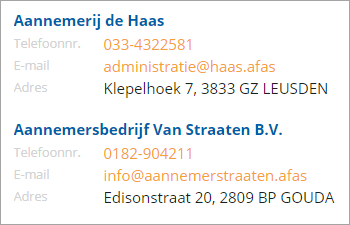
- Simple view
A view in columns, in which you can allow the user to filter on a single field. The user cannot save filters.
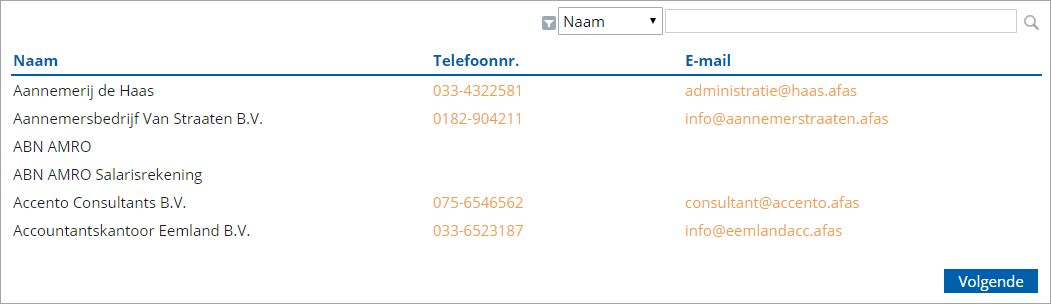
- Extended view
View with columns, in which you can allow the user to sort, filter and to save filters. You can also allow the user to export the view to Microsoft Excel.
In this view, the user can change the width of the columns; in other views that is not possible.
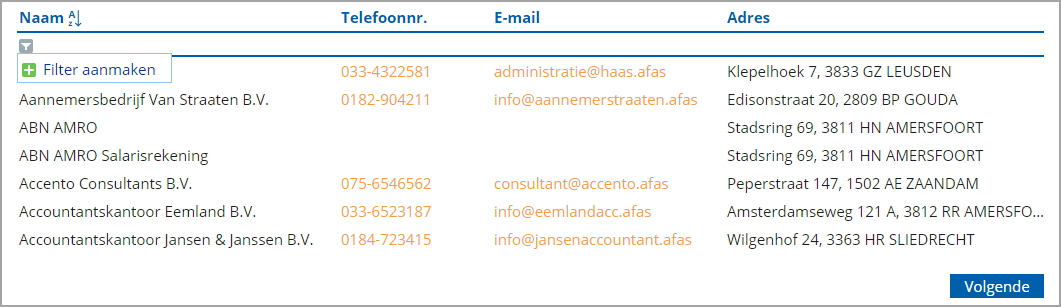
Procedure
- Add an overview
- Adjust the fields in an overview
- Modify the overview properties
- Set up a simple view with hyperlinks
- Set up a list view of an overview
- Multiple overviews on a page
- Overview pages based on other overviews
- Add a search view