Prepare a workflow
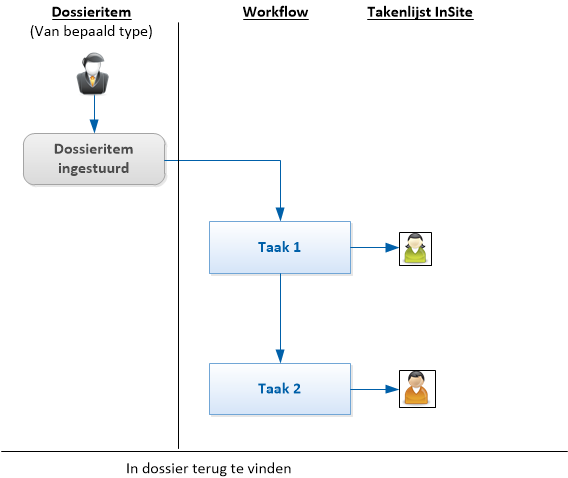
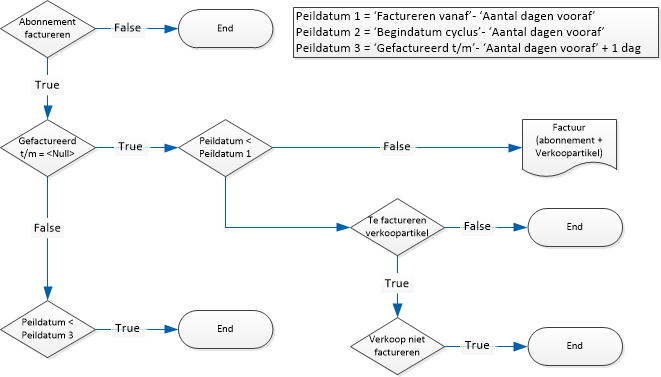
Before you add a workflow, you first make a sketch of the process. You sketch how the process should look: which tasks and actions are performed by which employees and in which sequence.
It is a good idea to specify the authorisation group for the various tasks. This tells you which authorisation groups you require and, if necessary, you can create them first.
|
Content |
Description
In the flowchart you include tasks, actions, statuses, responsibilities and authorisations. To create a flowchart, you can use Microsoft Visio or SmartDraw.
To prepare a flowchart for a workflow:
 Click here for examples of flowcharts.
Procedure
- Create a flowchart
Before you create a workflow, you should first consider how the process runs in your company and how you want to set it up. That is why we recommend you create a flowchart first.
- Control of tasks in workflows
There are several ways to direct tasks through the workflow. At times you have to configure the control in Profit in advance.