Authorise queue actions
Configure the authorisation of this section, so that the right users have access to the required functions and data.
Configure authorisation:
- Go to: General / Management / Authorisation tool.
- Go to the tab: Group maintenance.
- Select the group to authorise.
You can also select a user.
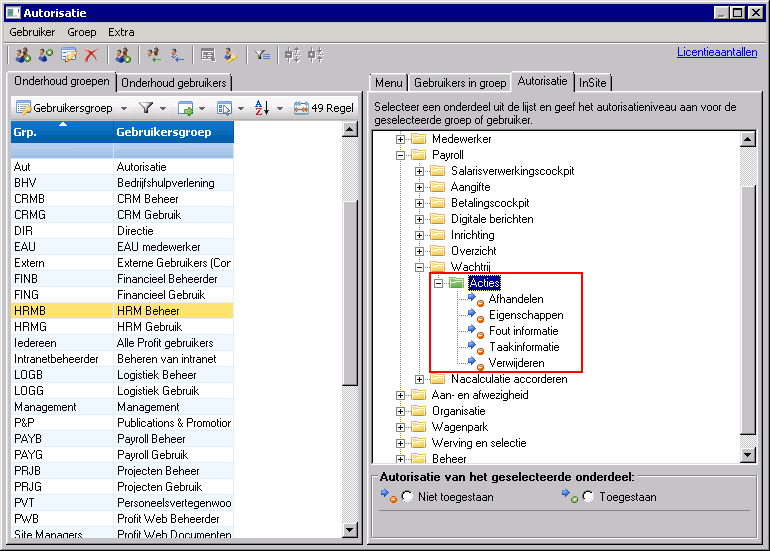
- Go to the tab: Authorisation.
- Go to: HR / Employee / Payroll / Queue
- Authorise the actions.
- Close the Authorisation tool.
- Click Yes in the message.
This environment automatically opens again with the new settings.
See also
|
Directly to |