Configure the Declarations functionality for InSite
Before entering the declaration in InSite, you configure the functionality.
- Activate a page type
You activate the Employee declarations page type.
- Configure authorisation
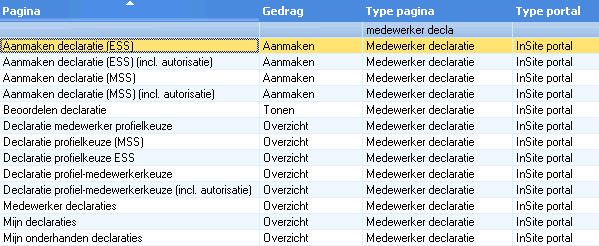
You add the pages for entering and reviewing declarations to an authorisation role.
- Add pages in InSite
For entering and reviewing declarations, you add menu items and/or parts of banners in InSite.
You can also add the Google route plug-in to the page. A useful tool when completing a travel expense claim form.
Deleting declarations without a Projects licence
If you do not have Projects in the licence, you cannot delete approved declaration lines in Profit Windows. To delete the approved declarations, add the Actual costing per line in InSite (Profit) page to InSite. You can delete the declarations after approval through this page.
|
Directly to
|